Command
Hand Auditors Infrastructure Proof They Trust on Sight
Command produces field-validated evidence, versioned snapshots, and exportable reports. Your team hands them to auditors without manual reconstruction.
See the live workflow mapped to the review, renewal, or evidence request you need to close next.
Sample output
Field validation report
Coverage completeness
The Maintained Evidence Record
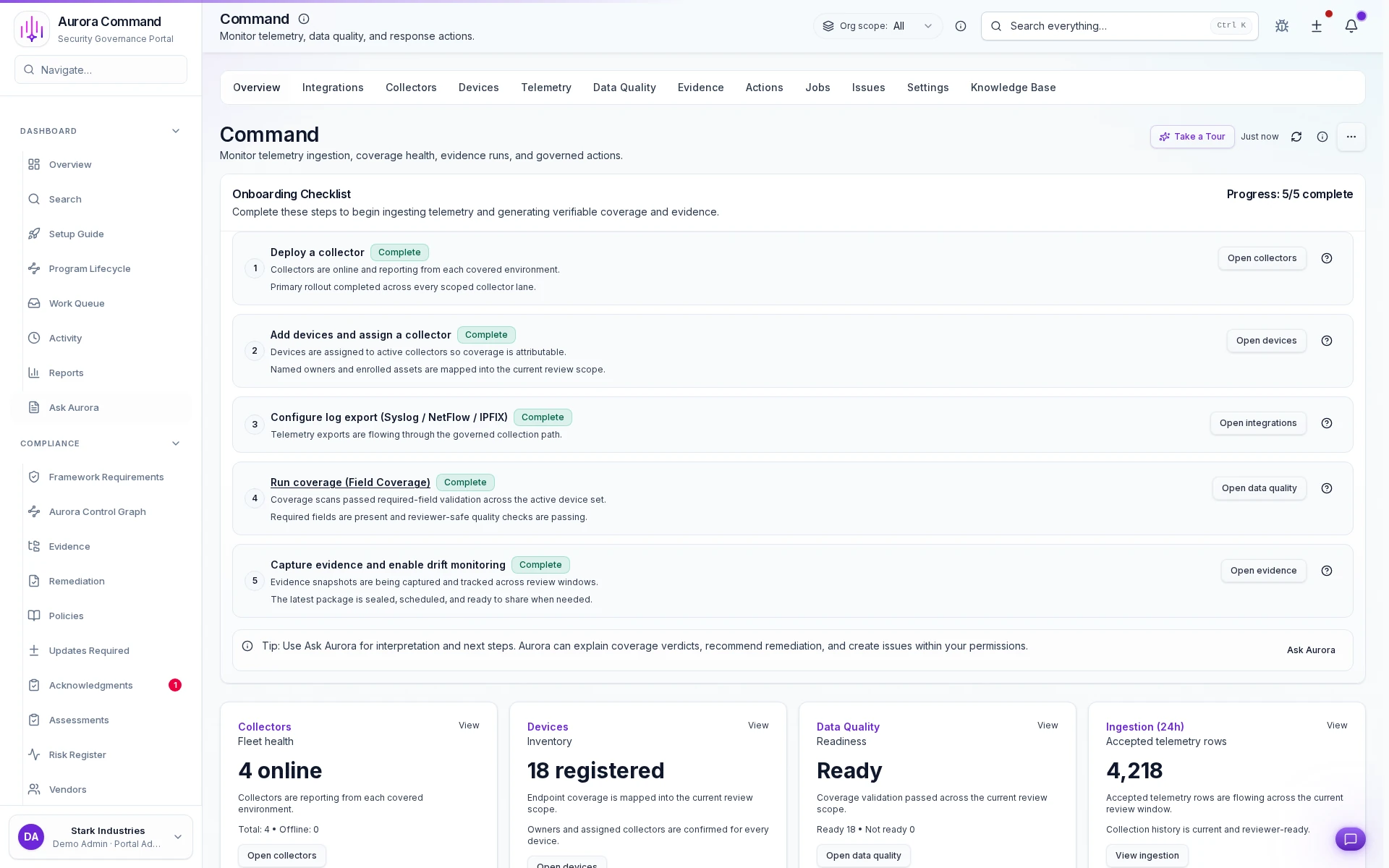
Onboard Command in five guided steps
Show coverage health alongside ingestion volume
Capture drift evidence on every collection run
Run coverage with reviewer-safe quality checks
From Raw Signals To Audit Ready Exports In Five Steps
01
Deploy Collectors
Ingest monitoring signals and evidence sources from your infrastructure.
02
Validate Every Field
Field validation flags what is correct, missing, or mismatched before you export.
03
Capture Versioned Snapshots
Store evidence with integrity metadata and unexpected change tracking.
04
Remediate with Governed Approvals
Apply changes through governed actions with approval gates and audit trails.
05
Export Coverage Artifacts
Export audit-ready field validation reports and logs.
Why Reviewers Trust Command Exports
Feature 1 of 6: Field Validation Status
1/6
Field Validation Status
Show reviewers exactly what is working and what is missing with precise, unambiguous reporting.
Artifacts reviewers recognize, plus sample previews of structure.
Scroll for artifact previews
Connects To Your Existing Security Stack
Common Questions About Command
Is Command required for every customer?
Is Command required for every customer?
No. Command is modular. Enable it only when you need defensible on-prem monitoring coverage or configuration evidence exports.
What is Field Validation?
What is Field Validation?
Field Validation is a clear status (Ready / Needs Config / Parser Mismatch / No Data) that shows whether the data you expect is arriving and parsed correctly.
What artifacts does it produce?
What artifacts does it produce?
Field validation reports, versioned evidence snapshots, drift history, and audited action logs designed to be exportable and attributable.
What is the difference between Command Insight and Command Control?
What is the difference between Command Insight and Command Control?
Command Insight covers evidence collection, field validation, and governed exports. Command Control adds plan/apply/rollback actions, approval gates, and higher-assurance operational control for environments that need it.
Does Command support Aurora Copilot?
Does Command support Aurora Copilot?
Yes. Aurora Copilot provides 50+ Command-specific tools covering collectors, devices, telemetry, evidence, and governed actions. Operators can ask Aurora to interpret coverage verdicts, troubleshoot ingestion, and plan remediation directly from the chat interface.
Can I set up alerts for collector or device issues?
Can I set up alerts for collector or device issues?
Yes. Command includes a full alert policy system with event-type filtering, severity thresholds, cooldown configuration, and test-alert support. Alerts surface issues before they reach a reviewer.
How does the Knowledge Base work?
How does the Knowledge Base work?
Command ships with a searchable Knowledge Base covering vendor setup, protocol configuration, troubleshooting, and best practices. Articles are tagged by vendor and updated as new support scenarios are identified.
Which network vendors are supported?
Which network vendors are supported?
Command supports Palo Alto, Fortinet, Check Point, Cisco (ASA, FTD, IOS), Juniper SRX, SonicWall, WatchGuard, Sophos, Barracuda, Arista, MikroTik, and Ubiquiti across SSH, HTTPS, and NETCONF protocols.
Close Your Next Audit With Defensible Coverage Proof
Tell us what auditors ask for. We will scope Command to the exports that satisfy those requests.
Share one request and we will show the path to field validation report without losing approvals, ownership, or reviewer context.