Skip to content
Incident readiness

Incident Readiness You Can Actually Prove

Run tabletop exercises, track training completion, close after-action items, and keep readiness evidence organized, so when auditors or insurers ask, you can show a pattern of practice, not just a plan.

Structured tabletop exercisesTraining completion recordsAuditor and insurer-ready evidence

Where teams get stuck

Why Incident Readiness Evidence Falls Short

Most teams have an incident response plan. Few can prove they practice it, track training, and close the gaps exercises reveal.

Tabletop exercises happen and disappear

The team ran an exercise last quarter. Notes were taken, but they live in a doc nobody can find. When insurers ask for evidence, you start from scratch.

Training completion is untracked

Security awareness and IR training happen, but completion records are scattered. Auditors ask for evidence and you spend hours pulling screenshots from your LMS.

After-action items never close

Tabletop exercises reveal improvements. Those items end up in a meeting doc, lose ownership, and never get completed. The same gaps reappear next exercise.

This replaces undocumented exercises, scattered training screenshots, and after-action items that live in meeting notes.

Workflow

How It Works in Aurora Command

Five steps. Each exercise builds on the last one. Remediation items close gaps. Evidence accumulates.

01
Plan
Define incident response plans, playbooks, roles, and communications procedures. Assign owners.
02
Train
Assign security awareness and IR-specific training. Track completion with timestamps and records.
03
Practice
Run tabletop exercises with structured scenarios. Capture participants, observations, and after-action items.
04
Improve
Track remediation items from exercises to completion. Each item links to the finding and the control it addresses.
05
Prove
Give auditors and insurers structured access to readiness records through Trust Center. Every access is logged.

Readiness evidence grows with every exercise cycle.

Inside the platform

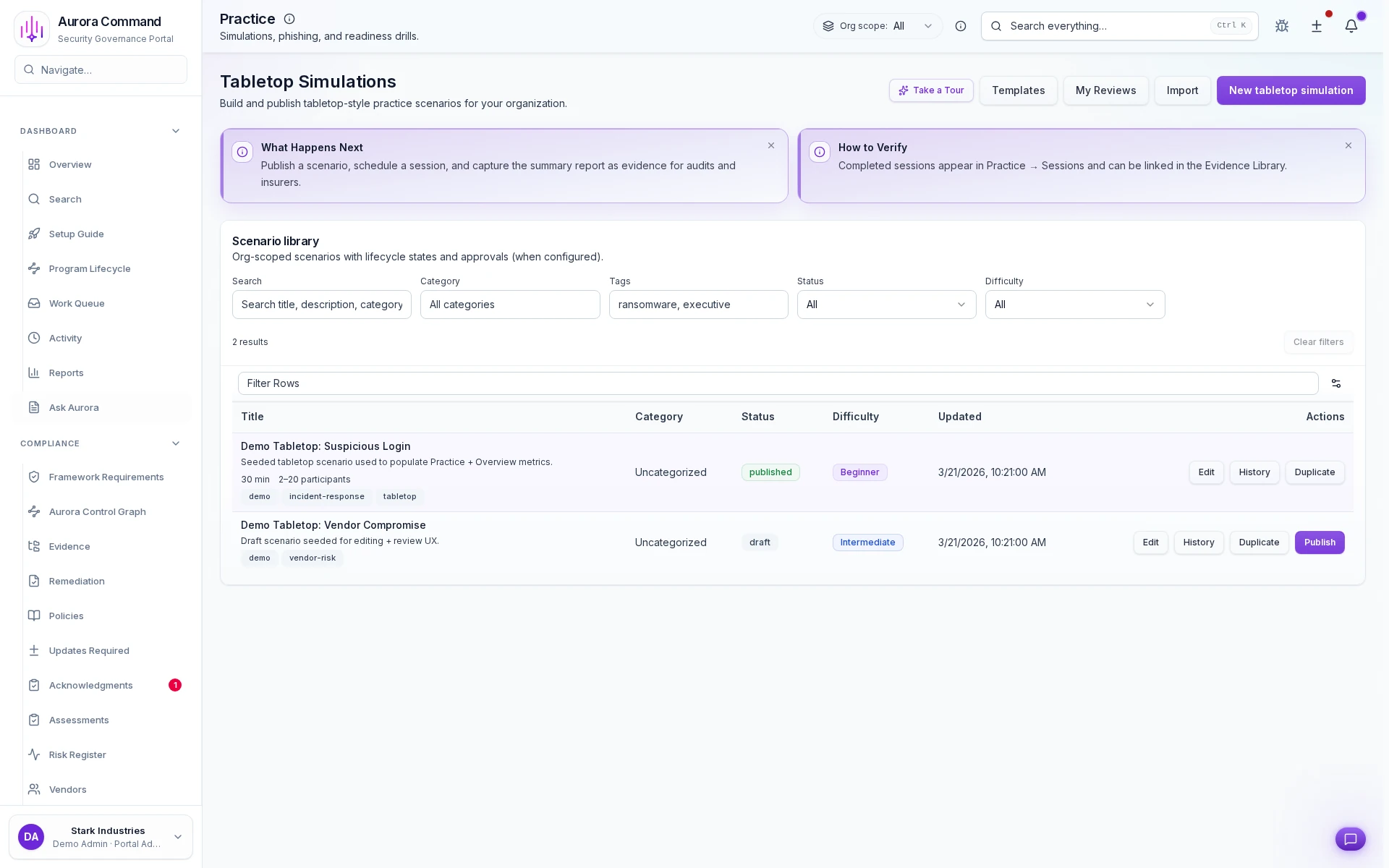
Exercise History That Proves You Practice

Every tabletop exercise is captured with scenario, participants, findings, and follow-up status. Auditors and insurers see a pattern of practice, not just a plan.

Share with control

What You Can Share (without Oversharing)

Give auditors and insurers structured access to readiness records. Every access event is logged.

Simulation and session records

Scenario, participants, observations, and after-action notes. Auditors and insurers see that you practice, not just plan.

Training completion

Assignments, completion dates, and acknowledgement records. Organized by role, period, and training type.

Remediation trail

After-action items with owners, due dates, and completion status. Show that exercises lead to measurable improvements.

Access & audit controls

Controlled Sharing, Not Shared Logins

Access controls, audit trails, and scoped reviewer permissions are built into the reviewer experience.

Controlled reviewer access

Reviewers see only what you share through tiered portals with expiring access links and structured permissions.

Full audit trail

Every view, download, and access event is logged with timestamps and reviewer identity for your records.

No workspace exposure

Reviewer views are separate from your operating workspace. No shared logins, no accidental access.

Want to See This with Your IR Plan?

Bring your incident response plan or exercise scenario. We'll show how readiness evidence connects to your compliance program in 15 minutes.

Common questions

What Teams Ask About Incident Readiness

Will insurers accept these records?
Insurers look for evidence that you practice incident response, not just that you have a plan. Aurora captures exercise records, training completion, and remediation progress. These are the artifacts underwriters evaluate when assessing your risk posture.
How often should we run tabletop exercises?
Most frameworks and insurers expect at least annually. Aurora tracks exercise cadence so you can set reminders and maintain a history. Teams running quarterly exercises build a stronger record over time.
Can we customize scenarios?
Yes. Aurora supports custom scenarios tailored to your environment, including ransomware, insider threat, supply chain compromise, or anything specific to your risk profile. Each exercise captures the scenario, participants, and findings.
How does this connect to our compliance program?
Incident readiness evidence feeds directly into your SOC 2, ISO 27001, or CMMC workflows. Training records, exercise history, and remediation items link to controls and frameworks, so you prove readiness once and reuse it across audits.

Aurora Command does not guarantee compliance outcomes. It helps you organize and document the work.

Next Step

See the Workflow Before You Book Time

Open the real workflow first, then book time when you want your own incident plan and exercise record mapped live.

Next step
Ready to Build Provable Incident Readiness?
Bring your IR plan or exercise scenario. We'll walk through the workflow end-to-end in 15 minutes.
No obligation. We'll show how exercises, training records, and remediation evidence connect to your compliance program.