Skip to content
Product Area

Share Evidence without Sharing Your Workspace

Deliver buyer and auditor evidence through a branded portal with real-time compliance posture, subscriber notifications, and full access history -- with distinct admin and reviewer views.

This page covers the Trust Center module. Need the live reviewer entry point instead? Open the access page, then come back here to see how the module controls what gets shared.
Compare the handoff
Admin mode
Design an immersive branded portal with real-time trust posture.

Publish a branded trust portal with custom typography, announcement banners, trust posture dashboards, subscriber controls, and tiered access, all managed from an extended admin builder.

  • Extended branding: fonts, accent styles, hero messaging, custom CSS
  • Trust Posture Ring showing live controls coverage
  • Announcement banners and subscriber notification controls
Aurora Command trust centers list showing portals, access tiers, and sharing readiness

Every portal, one console

Create, publish, and manage reviewer portals for different audiences from one place.

1 of 3
Best fit
Continuous PlanExpand to Resilience when the workflow broadens.

Best for controlled sharing with tiers, agreements, and logged access.

Module versus reviewer entry point
The module manages sharing; the access page is where reviewers enter
Use this page to evaluate tiering, approvals, trust posture, subscriber controls, and access logs. Use the Trust Center access page when you want to see the reviewer-facing portal experience.
Trust posture ringSubscriber notificationsPersistent sidebar navigation

How It Works

From Internal Evidence To Controlled External Sharing

A governed sharing workflow that protects sensitive evidence while keeping reviewers self-served and auditable.

01
Design your branded trust portal
Configure hero messaging, accent colors, custom typography, announcement banners, and layout to match your brand identity.
02
Publish controls and posture transparently
Show live controls coverage with the Trust Posture Ring so reviewers see real-time compliance health at a glance.
03
Organize evidence in a searchable library
Upload documents with freshness tracking, framework tags, and let reviewers toggle between grid and table views.
04
Let reviewers subscribe for updates
An embedded subscribe CTA notifies reviewers by email when reports, policies, or certifications change.
05
Track engagement across every section
Monitor who viewed what, when they accessed it, and which documents they downloaded - with exportable access logs.

Verified Before Review

Key Capabilities

Reviewers get exactly what their obligation requires: tiered access, expiring links, and full activity history behind every download.

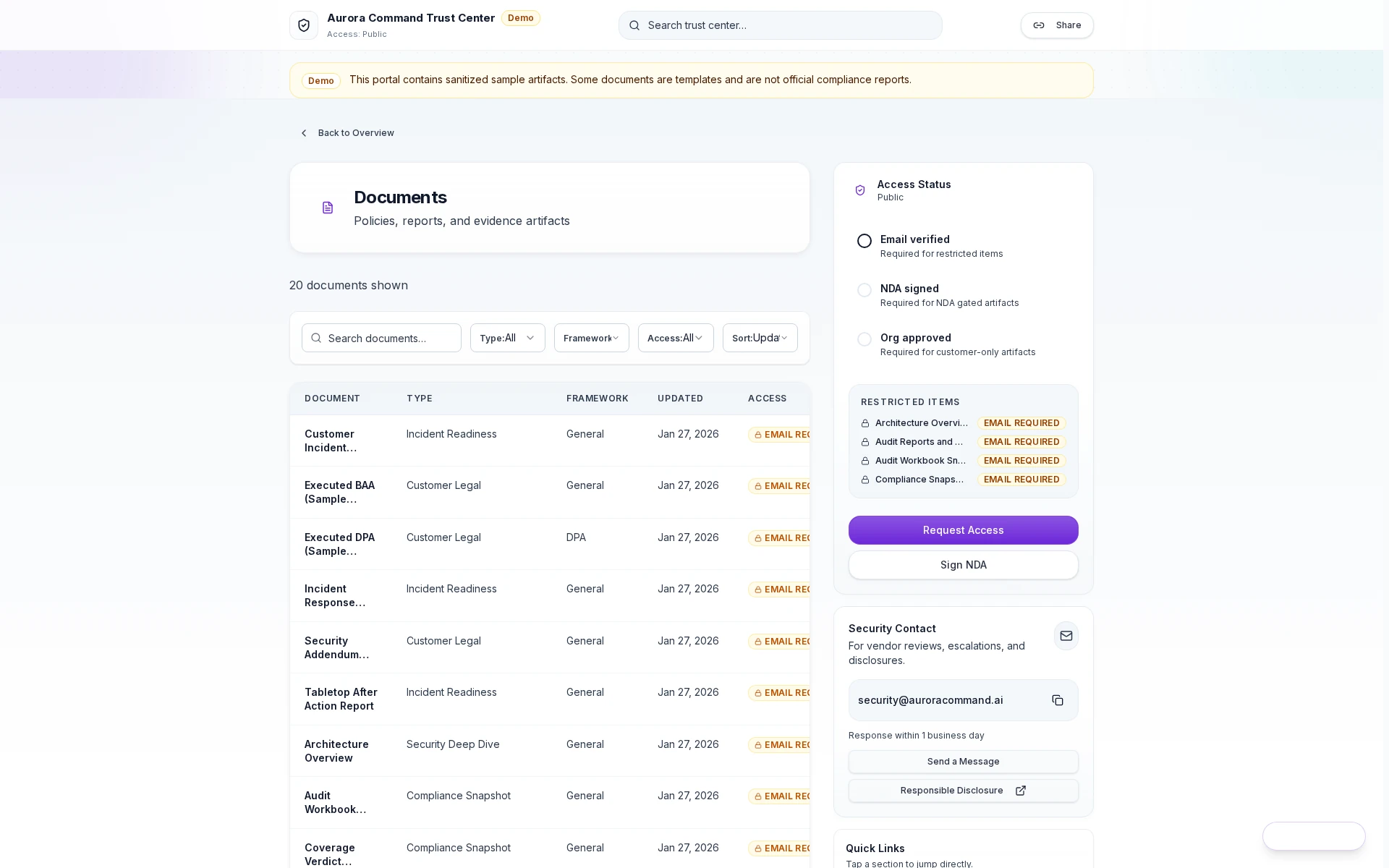
Aurora Command branded trust portal with animated hero zone, sidebar navigation, and certification badges.

Branded reviewer portal

Your brand identity with animated stats, certification badges, and persistent navigation -- not a shared drive.

Guided Walkthrough

What Reviewers See When They Land

The reviewer-facing portal, from access request through document download, with every interaction logged.

Aurora Command auditor workspace showing evidence, exports, audit periods, and deterministic diffs

Evidence Organized by Control

Reviewers see evidence mapped to the controls they care about. No hunting through file shares.

1 of 3
The Proof Reviewers Access Directly
Artifacts reviewers recognize, plus sample previews of structure.
Scroll for artifact previews
Recommended plan
Continuous Plan
Best for controlled sharing with tiers, agreements, and logged access.
Where teams expand next
  • Resilience: Add training and emergency communications artifacts for buyers.
  • Command: Add on-prem telemetry for procurement-heavy environments.
Need help choosing?
Compare plans to find the right starting point, then confirm fit in a walkthrough if your workflow is regulated or time-bound.

Extend the Program

Extend This Workflow

Pair this workflow with adjacent capabilities that keep reviewer evidence current and easy to share.

Common Questions

Questions Teams Ask About Trust Center

Portal setup, tiered permissions, expiring links, and what reviewers see vs. what you control.

Do buyers and auditors count as paid seats?
No. Reviewers are viewers with controlled access. Operator seats are for your internal team only.
Can we create different portals for different reviewer types?
Yes. Set up separate access tiers for buyers, auditors, insurers, and partners. Each tier sees only the collections you assign to it.
What happens when a sharing link expires?
Access is revoked automatically. The reviewer can no longer view or download any artifacts. You can extend or re-issue links if needed.
Can we see exactly what a reviewer accessed?
Yes. Access logs show every page view, document download, and time spent. Logs are exportable for your own compliance records.
Can reviewers subscribe to get notified when documents change?
Yes. The portal includes an embedded subscribe CTA. When new reports, policies, or certifications are published, subscribers receive an email notification automatically.
What does the Trust Posture Ring show?
A real-time visual breakdown of controls coverage across your compliance program - passing, in-progress, and needs-attention - so reviewers see compliance health without digging through spreadsheets.
Can we customize the portal beyond logo and colors?
Yes. The admin builder supports custom fonts, background modes, accent styles, logo sizing, hero messaging, announcement banners, and custom CSS.
Next step
Stop Sending Sensitive Review Packs By Email
Bring one buyer or audit process and we will show the branded portal with real-time posture, subscriber notifications, and full access analytics.
Bring one live buyer or auditor request. We'll show the difference between configuring the module and the redesigned reviewer-facing portal experience.