Skip to content
Product Walkthroughs

Watch Aurora in Action

Real workflows on real screens - watch the full product in motion.

24 demos
24 guided
Featured Walkthrough
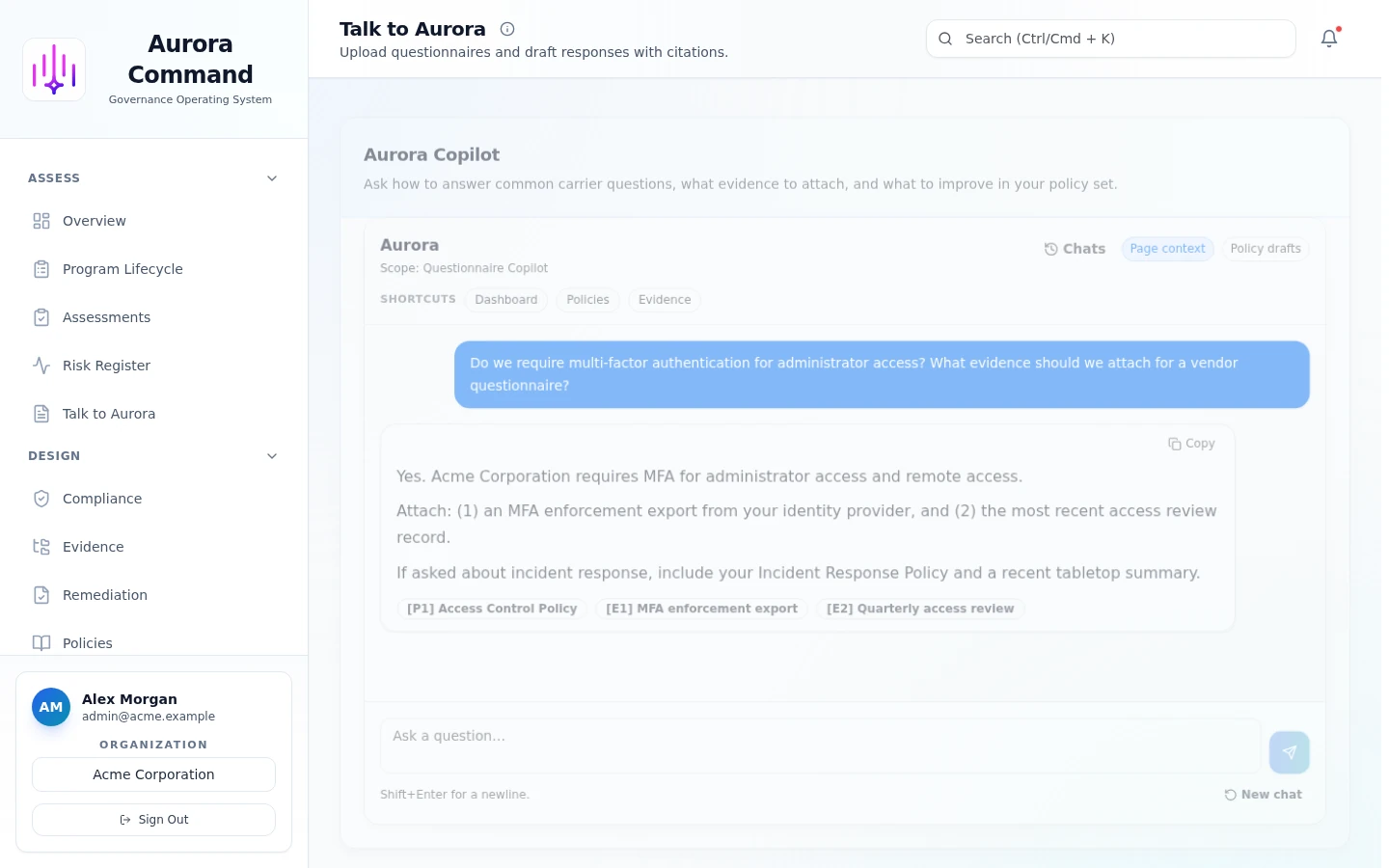
Aurora Copilot drafting a cited answer to a reviewer questionnaire inside Aurora Command

Start from the reviewer's question

Paste the exact question. Copilot searches your approved policies and evidence before drafting.

1 of 5

Connected Workflows

See how Aurora modules work together in end-to-end processes

Audit Readiness

From policy to proof in four connected steps

  1. Policy Library
    Establish governance baseline
    Approved policies feed evidence collection
  2. Evidence Management
    Collect and map evidence
    Evidence packages link to assessment frameworks
  3. Assessments
    Run assessments against frameworks
    Completed assessments publish to trust center
  4. Trust Centers
    Present trust posture to buyers
    Buyer requests route through structured intake
  5. Support Requests
    Manage reviewer and audit requests

Buyer Trust

Answer buyer questions before they ask

  1. Aurora Copilot
    Answer trust questions instantly
    Copilot pulls from assessed controls
  2. Assessments
    Validate compliance posture
    Assessment results feed trust portal
  3. Trust Centers
    Share proactive trust artifacts

Risk Remediation

Find risk, fix it, and prove it stays fixed

  1. Risk Register
    Identify and score organizational risks
    Risk findings extend to vendor evaluation
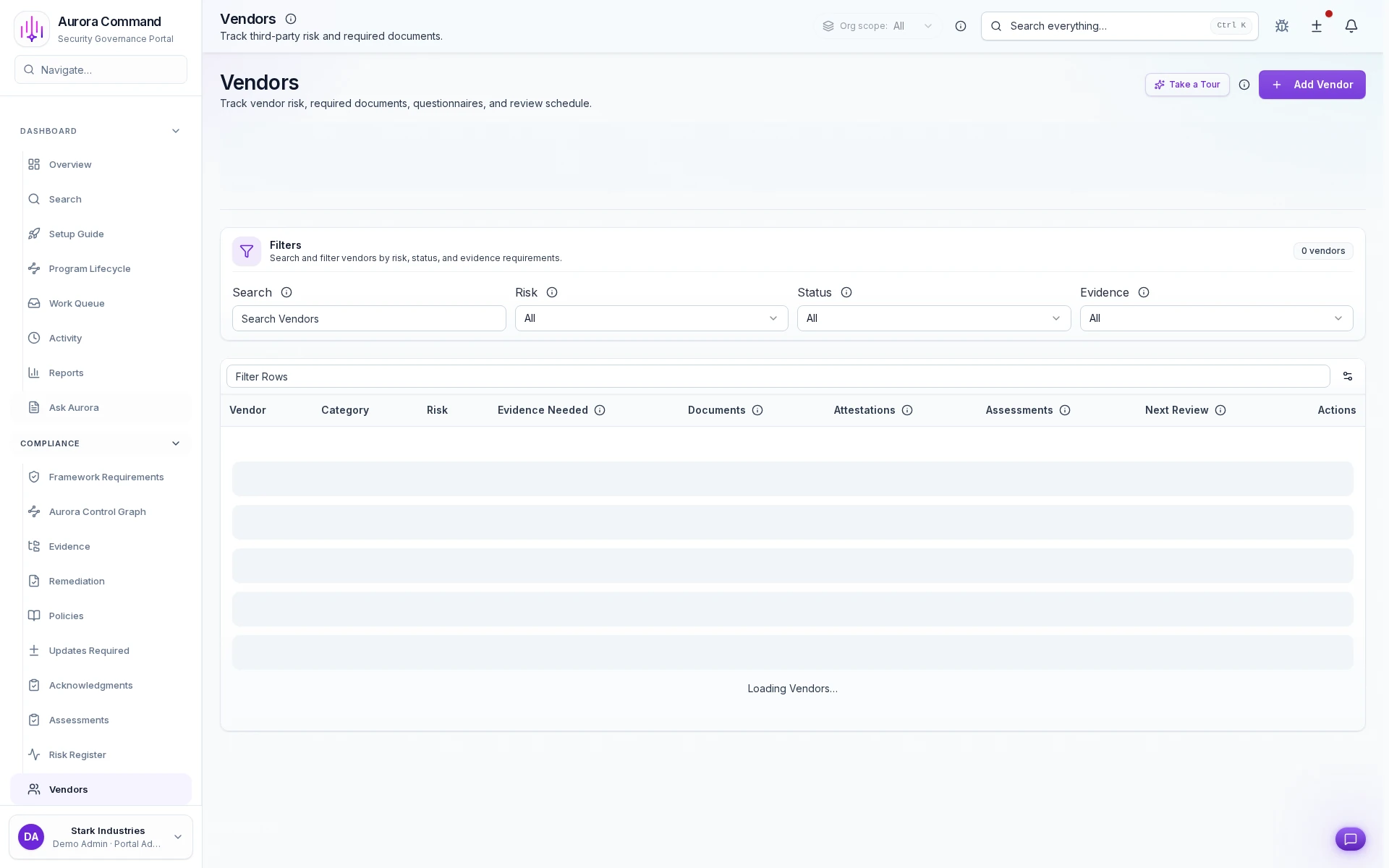
  2. Vendor Management
    Evaluate third-party risk
    Vendor findings feed compliance monitoring
  3. Continuous Compliance Overview
    Monitor control drift continuously
    Drift findings feed device-level verification
  4. Command Center
    Verify device coverage and telemetry health

Incident Response

Plan it, practice it, prove you are ready

  1. Incident Response
    Plan incident response procedures
    Procedures become practice scenarios
  2. Practice Hub
    Rehearse with tabletop exercises
    Lessons learned feed communication templates
  3. Emergency Communication
    Coordinate crisis response
    Crisis communications feed governed message threads
  4. Messaging Operations
    Track message delivery and acknowledgement

Readiness Program

Train, test, and track your team readiness

  1. Training Management
    Deliver compliance training content
    Training completion pairs with phishing readiness
  2. Phishing Campaigns
    Test resilience with simulated attacks
    Results roll up to team leaderboard
  3. Readiness Scoreboard
    Track readiness across teams

Find the Walkthrough That Matches Your Next Review

Filter by workflow, compare walkthroughs side by side, and open the one that matches the review on your calendar.

Manual review first for foreign or regulated scope
Aurora Command is offered on a U.S.-first basis. If you need EU, UK, or Swiss transfer terms, public-sector terms, PHI, PCI/cardholder-data scope, student-record commitments, or another regulated workflow that needs a separate written agreement, use the manual review path before sharing restricted data through a walkthrough request.

Featured Walkthroughs

Assessments
~1 min

Assessments

End-to-End Flow5 steps
Guided walkthrough3 chapters

See how Aurora routes questionnaires, reuses approved answers, and tracks every follow-up to completion.

Follow a questionnaire from intake through reviewer sign-off to close

Aurora Copilot
~1 min

Aurora Copilot

Quick Overview5 steps
Guided walkthrough3 chapters

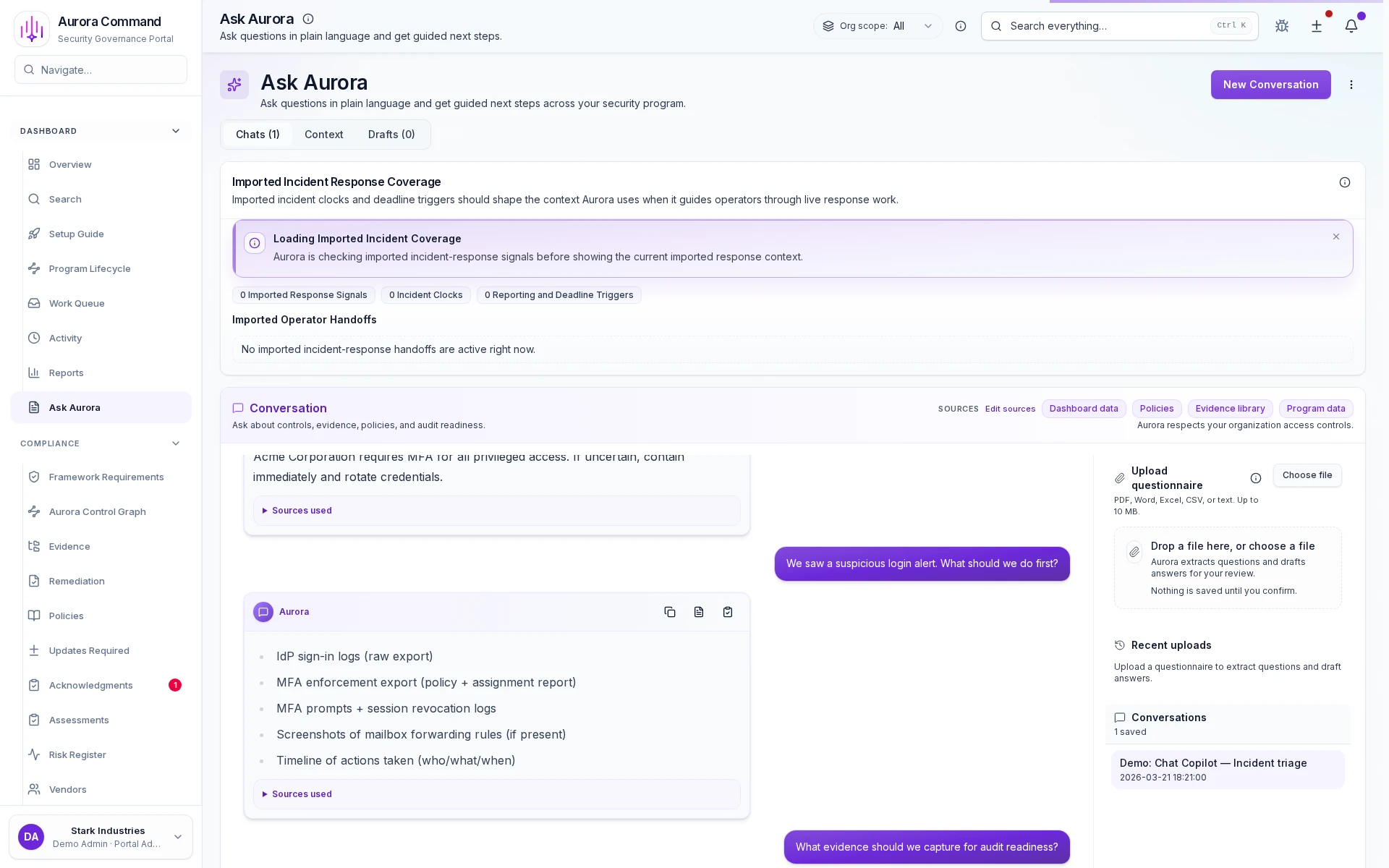
See how Aurora drafts cited answers from your approved content and keeps every response reviewable.

Watch Aurora draft a cited answer from your approved content in seconds

Command Center
~1 min

Command Center

Quick Overview3 steps
Guided walkthrough3 chapters

See how Aurora monitors device coverage, collector health, and incoming telemetry from one command view.

See how Aurora monitors devices, collectors, and telemetry from one command view

Compliance Overview Deep Dive
~1 min

Compliance Overview Deep Dive

5 steps
Guided walkthrough2 chapters

Framework posture, gap analysis, and automation coverage that show whether compliance is improving or drifting.

Continuous Compliance Overview
~1 min

Continuous Compliance Overview

End-to-End Flow4 steps
Guided walkthrough3 chapters

See which controls are monitored automatically, which need manual refresh, and where drift is building.

See which controls are monitored and where drift is building

Control Graph
~1 min

Control Graph

3 steps
Guided walkthrough3 chapters

Control coverage gaps, evidence links, and framework mappings visible before review, not discovered during it.

Device Inventory
~1 min

Device Inventory

3 steps
Guided walkthrough2 chapters

Per-device security posture, agent deployment status, and policy coverage gaps visible before export.

Emergency Communication
~1 min

Emergency Communication

End-to-End Flow4 steps
Guided walkthrough2 chapters

See how emergency messages are launched, tracked, and escalated until every acknowledgement is in.

Launch an emergency broadcast and track every acknowledgement in real time

Evidence Management
~1 min

Evidence Management

Deep Dive3 steps
Guided walkthrough3 chapters

See how uploaded artifacts stay owned, dated, and ready for the next reviewer request.

See how uploaded artifacts stay owned, dated, and governed

Showing 9 of 24 walkthroughs

Case studies
What Teams See After Their First Walkthrough
The walkthroughs show the workflow. These outcomes show why teams keep moving forward after they see it.
Series B SaaS
Security lead
-38% review cycle time
We stopped rebuilding the reviewer package every quarter. The export is ready in minutes.
Cloud marketplace
GRC manager
3 frameworks, 1 control map
Mapping once and reusing evidence is the only way we keep up with demand.
Healthcare platform
Compliance director
96% evidence freshness
Freshness tracking gave auditors confidence without constant email follow-ups.
Ready for the live version?

Bring Your Next Questionnaire, Audit, or Buyer Review.

We will walk the workflow in the product, not a slide deck, and show exactly what stays current between reviews.