Close Security Reviews without Rewriting the Same Answers.
Every completed review makes the next one faster. Reuse approved answers with citations, keep evidence fresh between cycles, and give reviewers structured access -- not a shared login to your workspace.
- Answer carry-forward:Approved responses carry forward across every new questionnaire
- Scoped reviewer access:Tiered links with view-only permissions and auto-expiring links
- Evidence stays review-ready:Mapped evidence, freshness status, and owner history stay attached to recurring questions
- Tamper-evident sharing:Version-locked exports with download and access logs
Aurora ties approved language, citations, review state, and freshness into one workflow. Each review builds on the last.
Your Team Has the Answers. They Just Cannot Find Them.
Every Questionnaire Starts from Scratch
Different people give different answers to the same questions. Reviewers see inconsistency and ask follow-ups.
Supporting Evidence Lives in Five Places
Documents spread across shared drives, email threads, and ticket systems. Nobody knows what is current or who owns it.
Stalled Reviews Block Revenue
Security reviews sit in a queue for weeks because there is no single source for answers and evidence.
This replaces ad-hoc questionnaire docs, inconsistent answers across reviews, and evidence scattered in one-off folders.
Five Steps from Intake to Reviewer Handoff
Prior reviews feed reusable answers into the next one.
Cited Answers and Fresh Evidence in One View
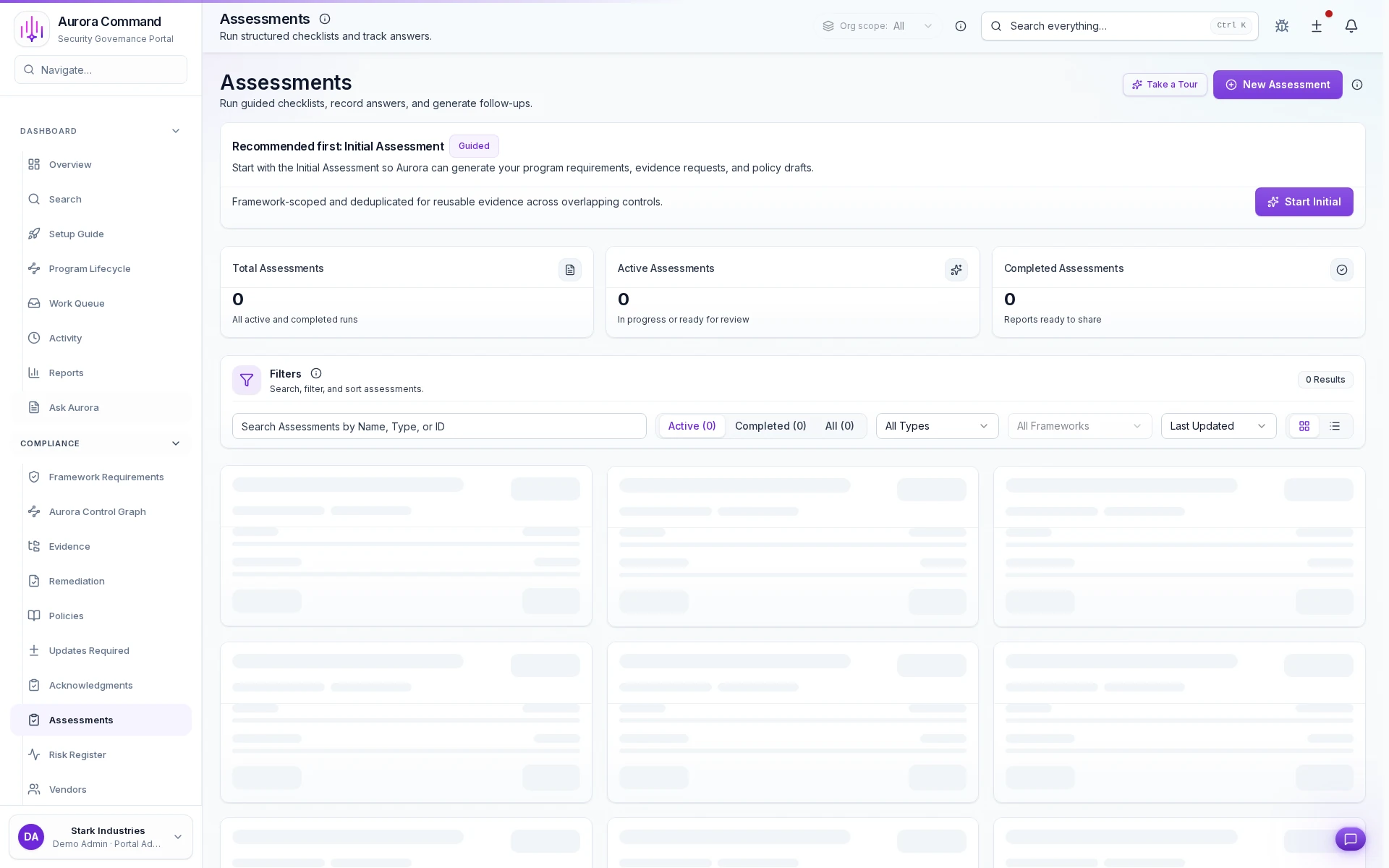
Approved answer with citations
How do you manage access controls? Aurora ties the answer to the evidence and approval context instead of leaving it in a document draft.
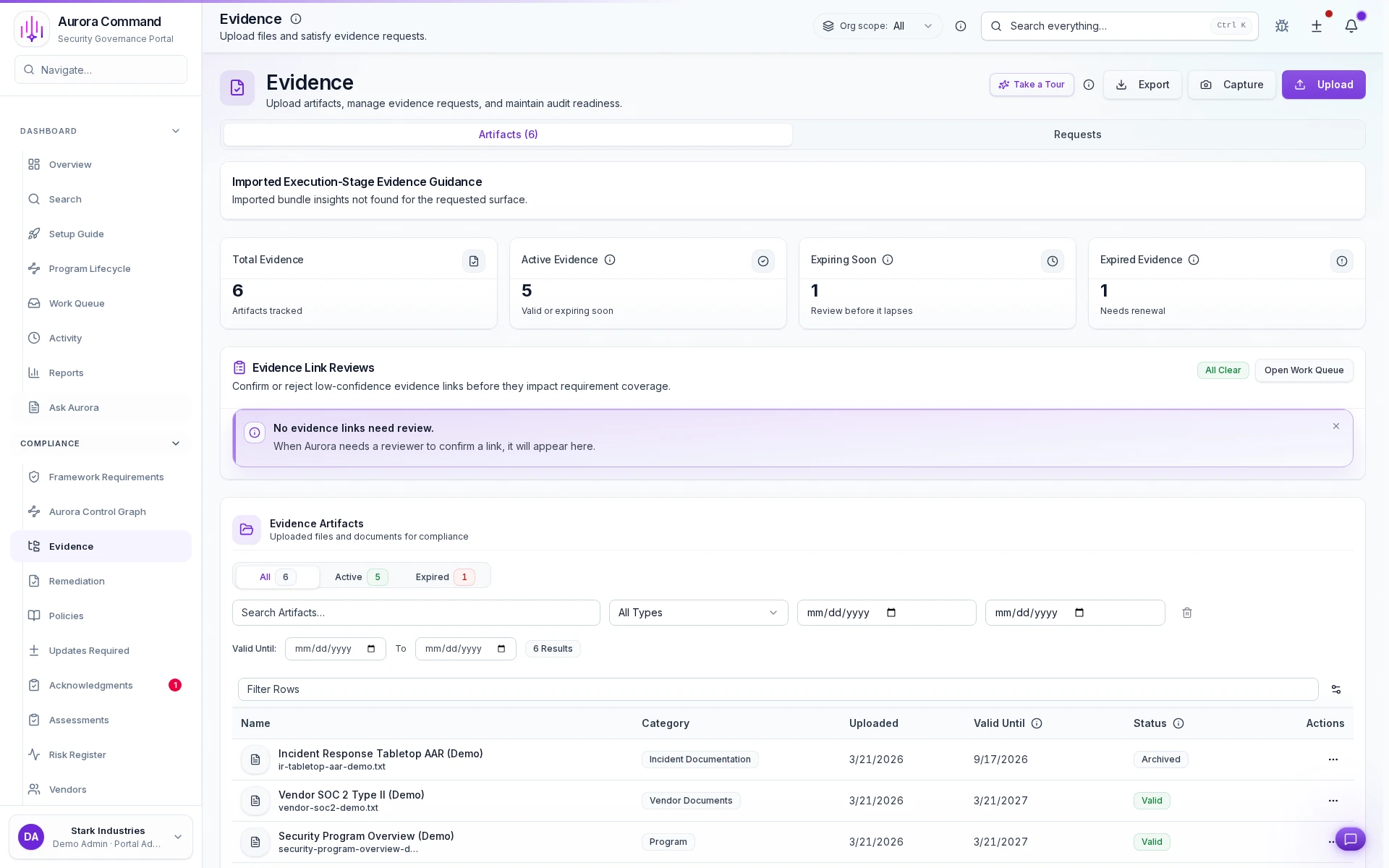
Freshness tracking per artifact
See which evidence is current, expiring, or stale at a glance.
Reviewers See What You Publish. Nothing Else.
Response library
Reviewer view
Evidence index
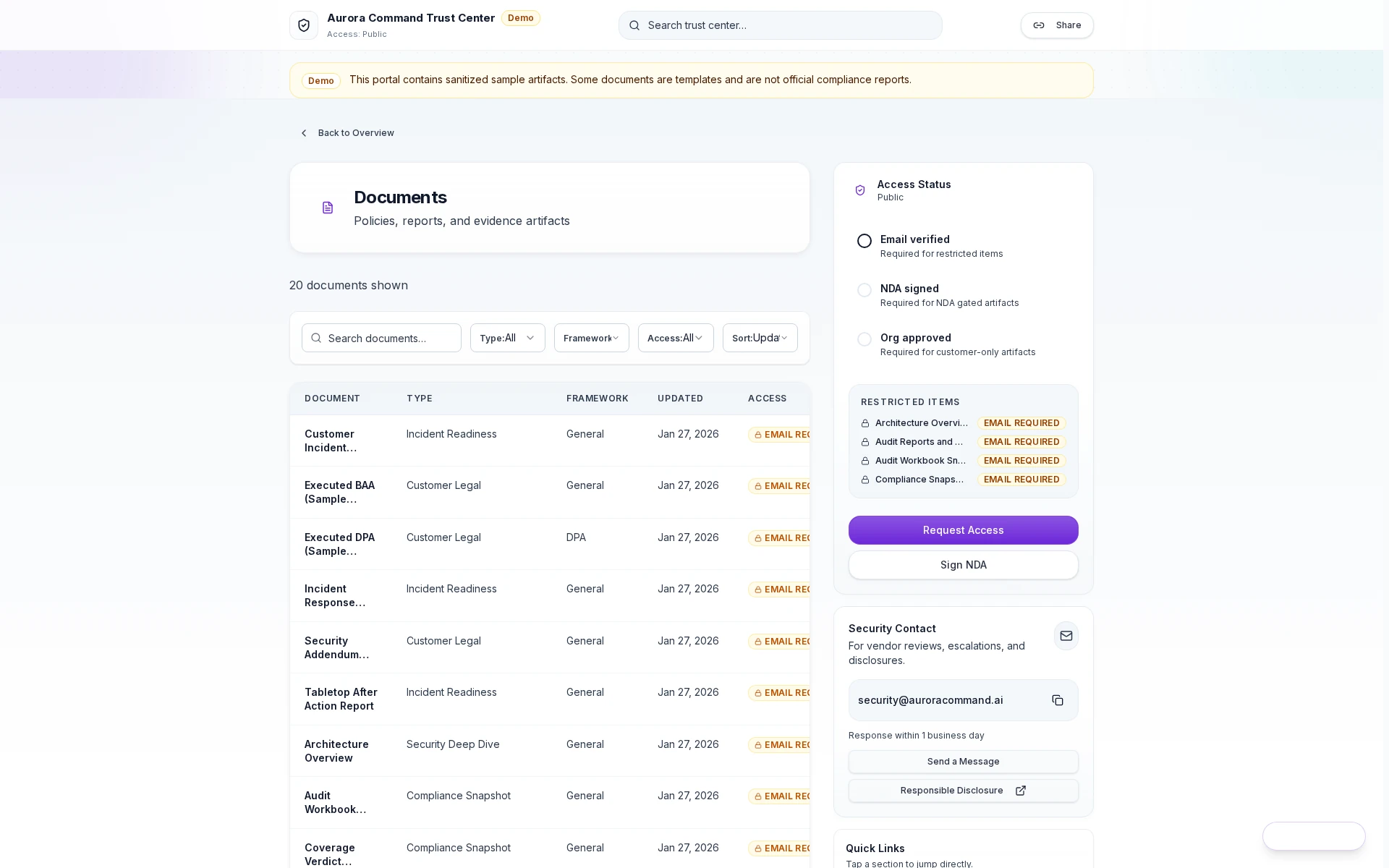
Scoped access grants
Reviewers get a controlled link with tiered permissions, not a shared login.
Every access event stays attached to the record for your audit trail.
Review Answers Draw from Your Entire Compliance Program
Governance and controls
Controls, policies, and approvals that feed every review. Map once, reuse across frameworks.
Readiness records
Training completion, tabletop exercise records, and incident runbooks - the artifacts auditors and insurers actually ask for.
Risk and remediation
Score risks, assign owners, and track remediation items. Tie decisions to controls and evidence.
One evidence record. Buyer reviews, insurance diligence, and audits all draw from it.
Want to See This with Your Questionnaire?
Share a recent questionnaire. We'll show how the workflow handles it from intake to reviewer handoff.
Scoped Permissions and Full Audit Trails, Built In
No shared logins
Reviewers access a controlled view through your Trust Center. They never see your workspace.
Audit trail on everything
Approvals, evidence changes, and reviewer access events are all logged with timestamps.
Role-based access
Operators see their scope. Reviewers see what you share. Access tiers and expiring links.
Security Review Questions We Hear Most
Will this create more work for our team?
Can we control what reviewers see?
How do we keep evidence from going stale?
What is automated vs. manual?
Will auditors and buyers accept this?
Does this replace our GRC tool?
Aurora Command does not guarantee compliance outcomes. It helps you run and document the work.
Explore the Workflow on Your Own Time
Explore the workflow first. Book time when you want your own review cycle walked through end-to-end.