Keep Audit Evidence Current Between Review Windows.
Keep controls, evidence, and approvals current between audits so each review window starts from a maintained record -- not a deadline scramble.
- Mapped controls stay reusable:Keep one control model instead of rebuilding audit scope every cycle.
- Evidence freshness is visible:Know what is current, expiring, or stale before the auditor asks.
- Automation coverage is explicit:Show where evidence is automated and where fallback is manual.
- Reviewer-safe sharing is built in:Package evidence without giving reviewers access to the operating workspace behind it.
Stop rebuilding evidence packets before every audit. See what is current, who owns it, and what reviewers need -- before they ask.
Audit Readiness Breaks When Evidence Is Rebuilt Instead of Maintained
Evidence Rebuilt Every Cycle
The same binder gets reassembled from scratch each audit window because nobody maintained it between reviews.
Freshness Gaps Stay Hidden
Stale evidence surfaces only after the auditor requests it. By then the deadline is already tight.
Reviewer Access Is All-or-Nothing
Auditors either get too much access or a manually curated zip file. There is no controlled middle ground.
This replaces last-minute binder assembly, stale evidence surprises, and uncontrolled zip files sent to auditors.
Keep Audit Readiness Alive Between Audit Windows
Each audit cycle starts from maintained evidence instead of a rebuild.
Evidence Freshness, Ownership, and Audit Outputs in One View
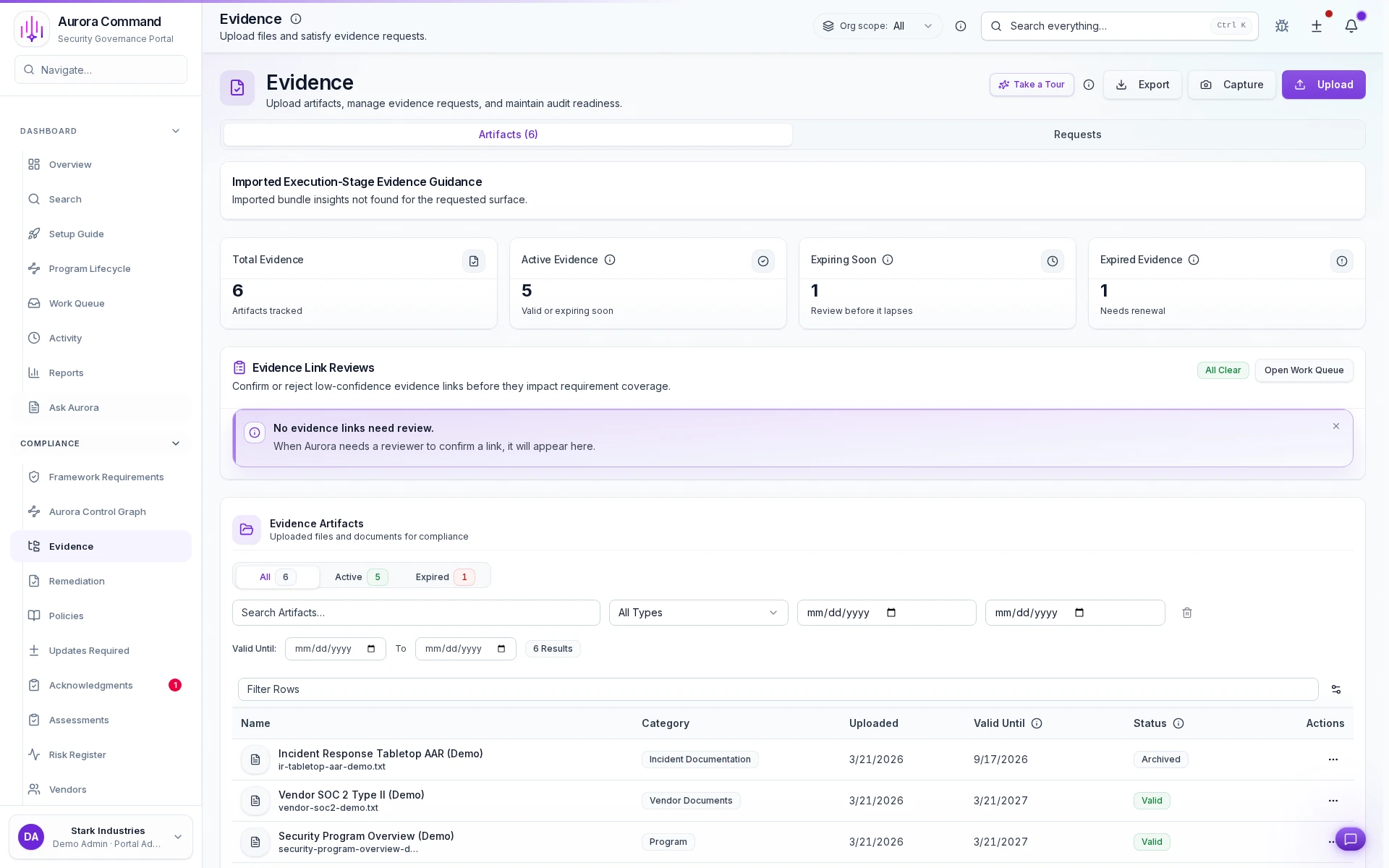
Freshness tracking per artifact
See which evidence is current, expiring, or stale at a glance before the auditor asks.
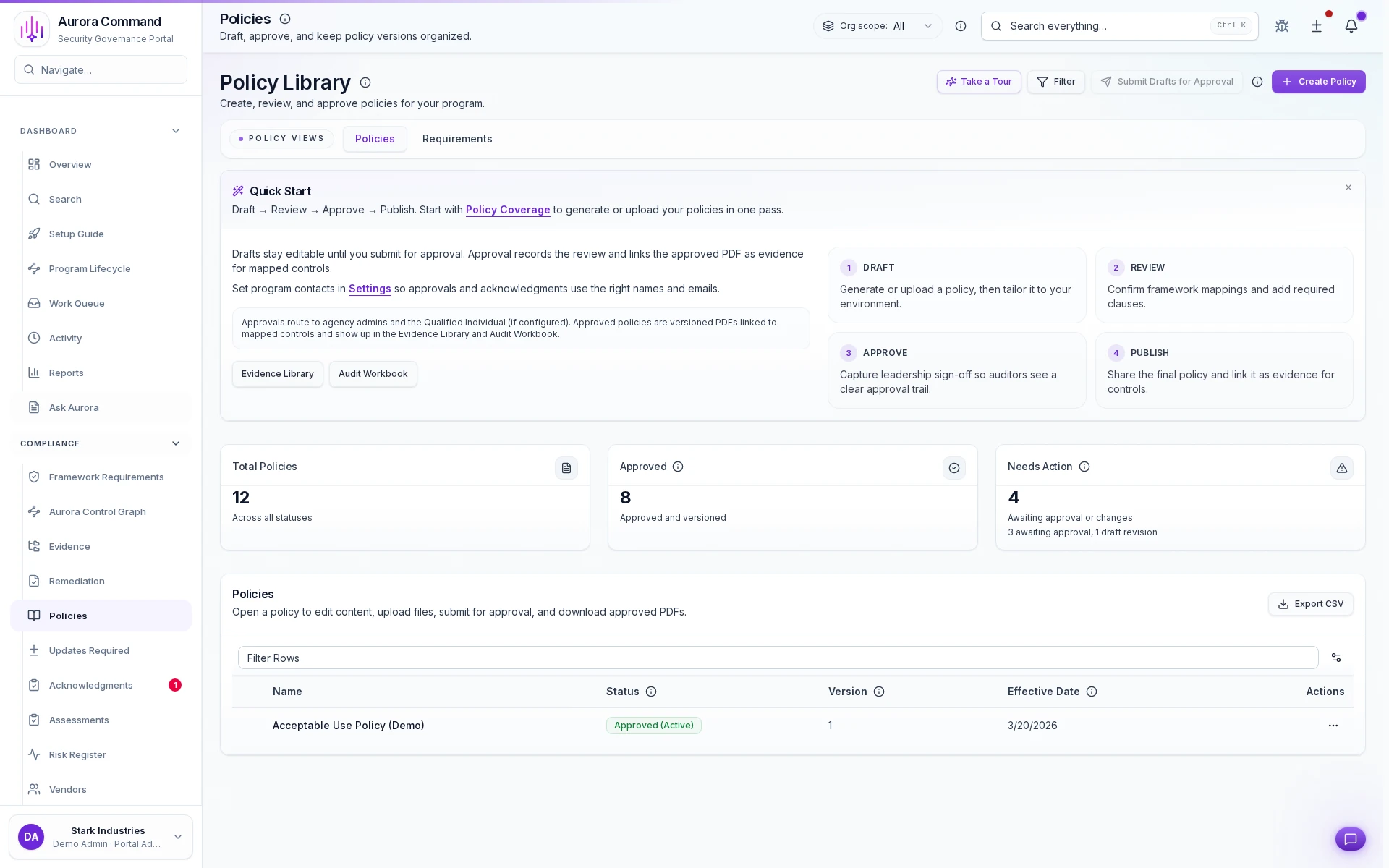
Reusable control model
Map framework requirements to controls once. Reuse across audits and reviews.
From Binder Rebuilds to Governed Evidence Operations
Mapped scope stays reusable
Evidence freshness stays visible
Reviewer packaging stays deliberate
Outputs Auditors and Reviewers Can Use Immediately
Want to See This with Your Evidence Binder?
Share the current audit request list, evidence binder, or sampling worksheet. We'll show how Aurora keeps the work current between audit windows.
The Aurora Capabilities That Matter Most for Audit Readiness
Governance & Policies
The mapped control and approval system that gives the audit story structure.
Evidence & Continuous Compliance
The live evidence layer that shows freshness, source, and supporting artifacts.
Continuous Compliance
The automation and fallback layer that keeps reviewers honest about source provenance.
Reviewer Operations & Controlled Access
The packaging and sharing layer for audit-safe reviewer access.
What Teams Often Open Next from Audit Readiness
Frameworks
Controlled Reviewer Sharing
Security Reviews
Questions Teams Ask Before Changing the Audit Workflow
Can Aurora still help if some evidence is manual?
Do auditors need access to our workspace?
Does this work only for formal audits?
Aurora Command does not guarantee compliance outcomes. It helps you run and document the work.
Explore the Workflow on Your Own Time
Explore the workflow first. Book time when you want your own evidence binder walked through end-to-end.