Keep Evidence Current Between Review Windows.
Keep mapped controls, freshness tracking, and evidence outputs current so the next review starts from live evidence -- not stale artifacts and last-minute cleanup.
- Freshness is visible:Current, expiring, and stale evidence stay visible before the reviewer asks.
- Source types stay explicit:Automation, export-based evidence, and manual evidence remain distinguishable.
- Fallback paths stay honest:Reviewers can understand what is automated and what still depends on human upkeep.
- Technical evidence can extend the loop:Use Command where the environment needs telemetry-backed evidence.
Surface automation coverage, gaps, and freshness in one view so reviewers trust your evidence model without asking follow-ups.
Continuous Compliance Fails When the Source of Evidence Stays Ambiguous
Automation Claims Without Coverage Proof
Teams say evidence is automated but cannot show what is actually auto-collected versus manually uploaded when the auditor asks.
Stale Evidence Hides Until the Deadline
Nobody tracks freshness between reviews. Evidence goes stale silently and the scramble starts when the audit window opens.
Gaps Drift Instead of Getting Fixed
Evidence issues surface in side conversations and spreadsheets. They never turn into accountable follow-up work.
This replaces vague automation claims, hidden stale evidence, and compliance gaps that drift between review cycles.
Keep the Evidence Loop Moving Between Review Windows
The loop keeps running between formal reviews so the next window starts from live evidence.
Automation Coverage, Freshness, and Findings in One View
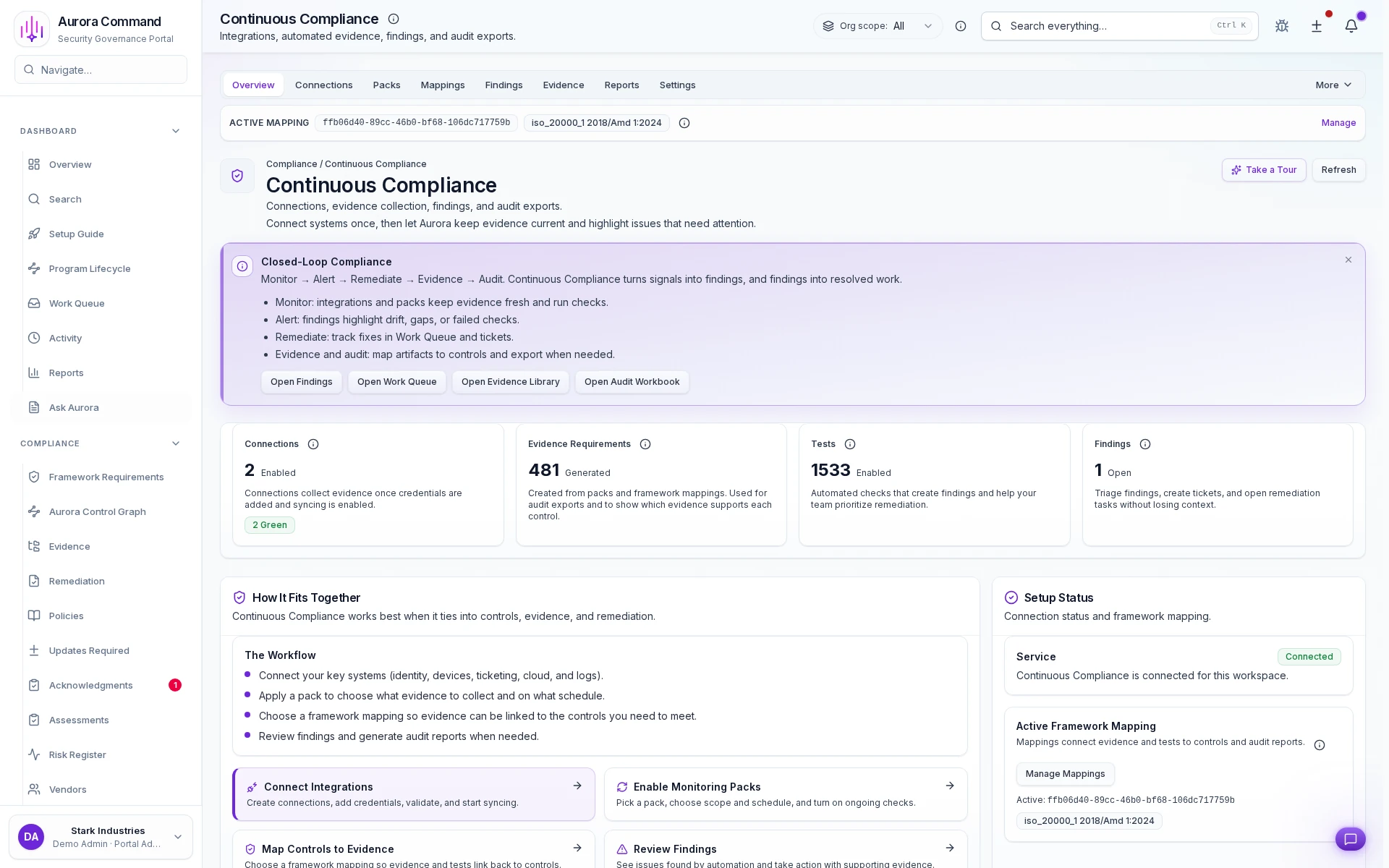
Source type classification
Every evidence source is labeled as automated, export-based, or manual so reviewers understand the provenance.
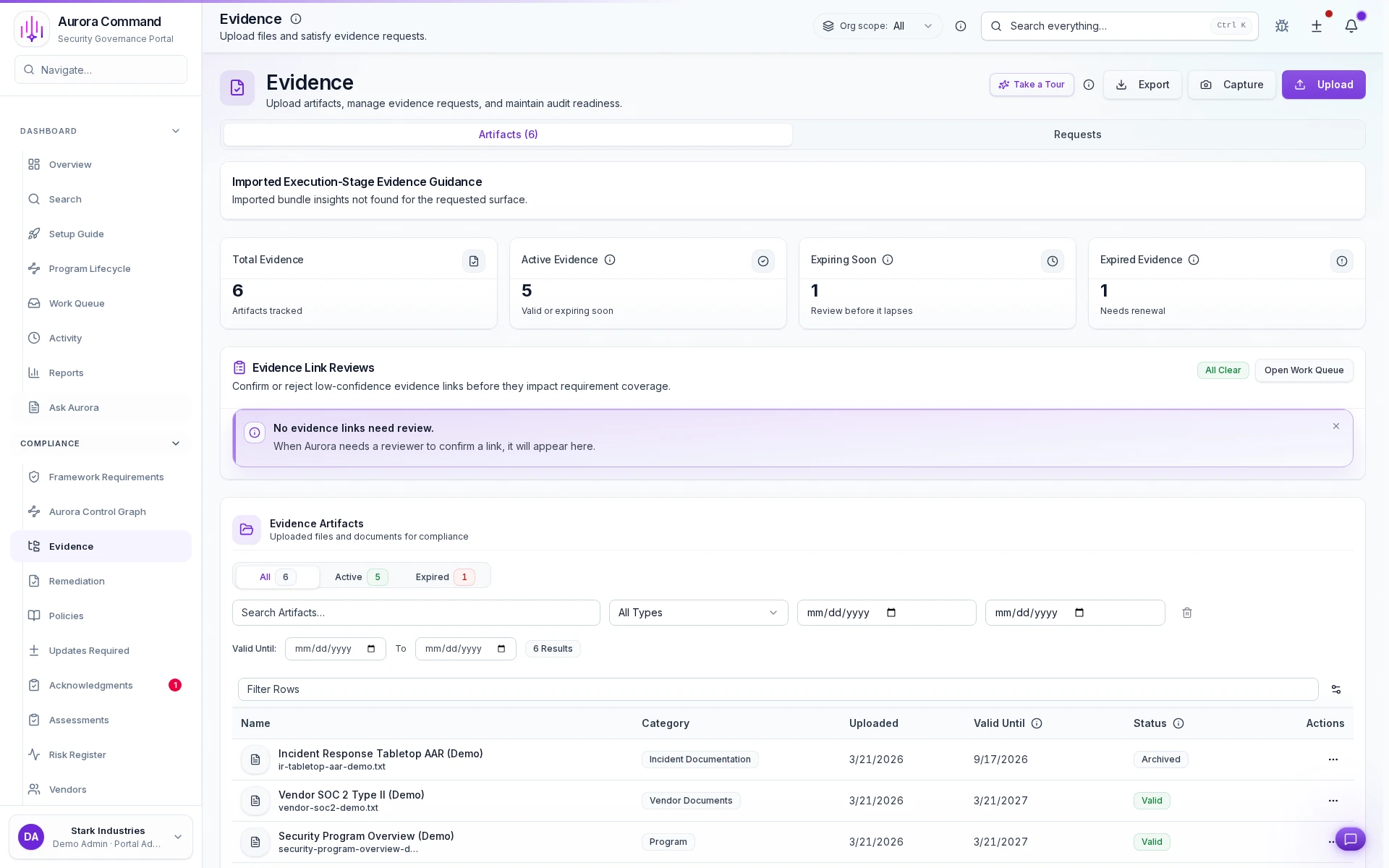
Freshness tracking per artifact
See which evidence is current, expiring, or stale at a glance before the reviewer asks.
From Ambiguous Automation to an Explicit Evidence Loop
Source type stays explicit
Freshness is operational, not implied
Gaps turn into work
Outputs That Prove the Loop Is Active, Not Aspirational
Want to See This with Your Evidence Sources?
Share the current stale-evidence list, review backlog, or automation gap list. We'll show how Aurora keeps the work moving.
The Aurora Capabilities Behind Continuous Compliance
Evidence & Continuous Compliance
The live evidence layer for freshness, evidence state, and export structure.
Continuous Compliance
The automation and findings layer for maintaining current evidence over time.
Integrations
The source layer that makes automation coverage and cadence explicit.
What Teams Often Open Next from Continuous Compliance
Audit Readiness & Evidence Operations
Frameworks
Controlled Reviewer Sharing
Questions Teams Ask Before Moving to a Continuous Model
Does continuous compliance mean everything is automated?
Can we start even if coverage is partial?
Can the same loop support buyer reviews and audits?
Aurora Command does not guarantee compliance outcomes. It helps you run and document the work.
Explore the Workflow on Your Own Time
Explore the workflow first. Book time when you want your own evidence loop walked through end-to-end.