Skip to content
SOC 2 readiness

SOC 2 Readiness Built for Repeatability

Map Trust Services Criteria to your control library, keep evidence current between audits, and give auditors a clean snapshot when review windows open. Build the mapping once. Audit every cycle without starting over.

Reusable control mappingEvidence freshness trackingPoint-in-time audit snapshots

Where teams get stuck

Why SOC 2 Prep Drains Time Every Cycle

Most teams have done the work before. But the evidence decays, the mapping is outdated, and audit prep turns into a scramble.

Evidence goes stale between audits

You collected everything for last year's audit. Six months later half of it is expired, owners have changed, and nobody tracked what needs refreshing.

Controls live in scattered documents

Policies in Google Docs, controls in a spreadsheet, evidence in Slack threads. When the auditor asks for a mapping, you rebuild it from memory.

Audit prep means starting over

Every review window feels like the first one. Screenshots get recaptured, approvals get re-collected, and the team loses a week to audit prep.

This replaces spreadsheet-based control lists, scattered evidence folders, and manual audit prep checklists.

Workflow

How It Works in Aurora Command

Five steps. Each audit cycle reuses the mapping, refreshes evidence, and creates a clean snapshot.

01
Scope
Define in-scope systems, boundaries, and Trust Services Criteria. Assign control owners.
02
Map
Map TSC requirements to your control library. One mapping, reusable across audits.
03
Collect
Link evidence to controls with source, owner, and freshness cadence. Set reminders before things expire.
04
Snapshot
Lock a point-in-time review window. Capture what was true during the audit period with change history.
05
Share
Give auditors structured access through Trust Center. They see only what you share, with full access logs.

Next audit starts where the last one left off.

Inside the platform

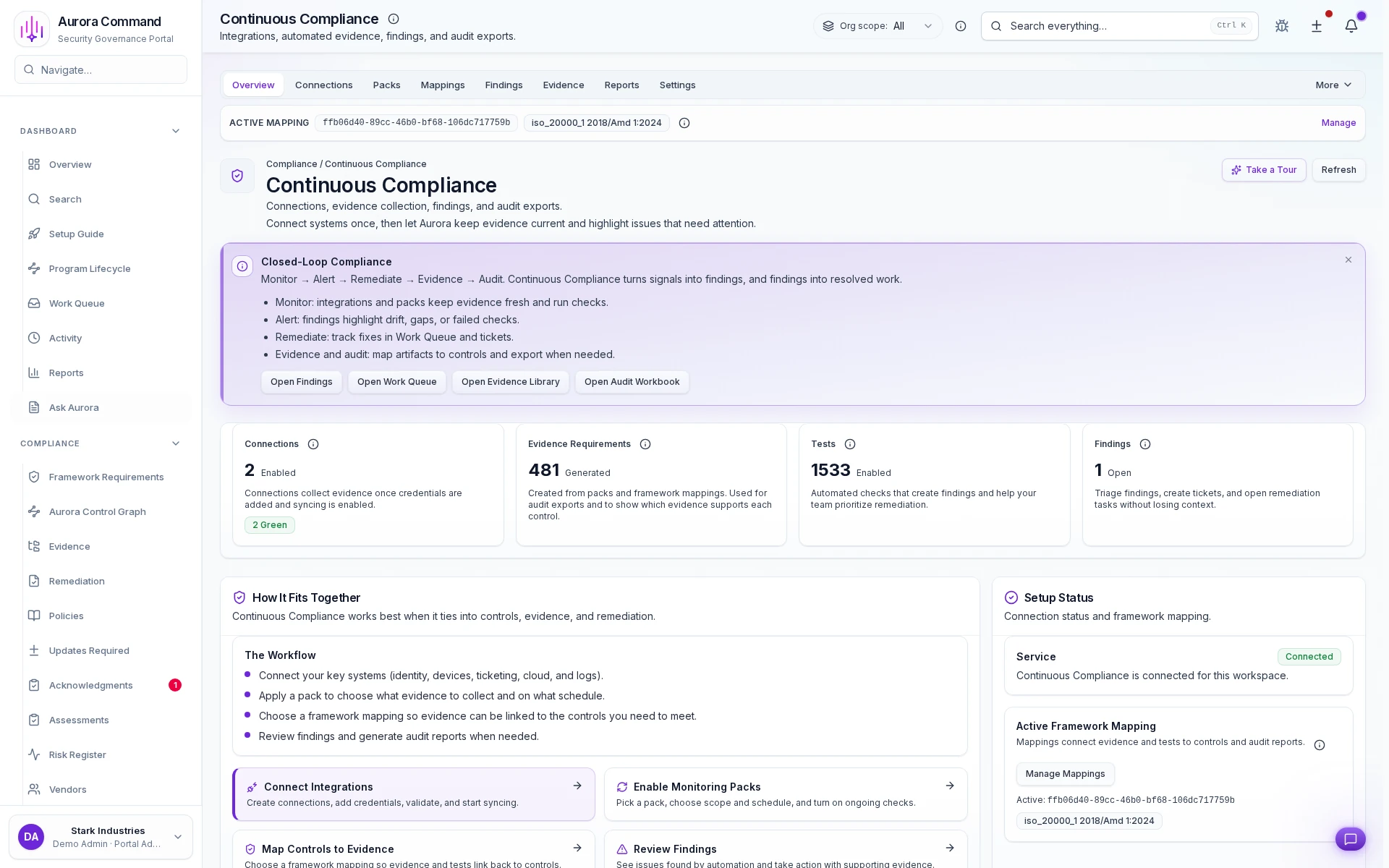
Structured TSC Mapping with Live Evidence

Every Trust Services Criteria links to controls and evidence. Status updates in real time as evidence is collected and refreshed.

Share with control

What You Can Share (without Oversharing)

Give auditors structured access to exactly what they need. Every view is logged.

Control mapping

TSC requirements linked to controls and evidence. Auditors see a structured view instead of a spreadsheet dump.

Audit snapshot

Point-in-time record of what was true during the review window. Version-locked evidence with approval trails.

Change history

What changed since the last audit period. Policy updates, new controls, evidence refreshes, all timestamped.

Access & audit controls

Controlled Sharing, Not Shared Logins

Access controls, audit trails, and scoped reviewer permissions are built into the reviewer experience.

Controlled reviewer access

Reviewers see only what you share through tiered portals with expiring access links and structured permissions.

Full audit trail

Every view, download, and access event is logged with timestamps and reviewer identity for your records.

No workspace exposure

Reviewer views are separate from your operating workspace. No shared logins, no accidental access.

Want to See This with Your TSC Mapping?

Bring your existing control spreadsheet or auditor request list. We'll show the exact workflow end-to-end in 15 minutes.

Common questions

What Teams Ask About SOC 2 Readiness

Does this work for Type I and Type II?
Yes. Type I uses a point-in-time snapshot. Type II uses the same snapshot approach across the full review window with change tracking. The workflow is the same, but the scope of evidence expands.
How do we keep evidence from going stale between audits?
Every evidence item has an owner, a freshness cadence, and automated reminders. Aurora flags what is expiring before your auditor notices. You refresh on a schedule instead of scrambling before the window opens.
Can we reuse this mapping for other frameworks?
Yes. Your control library maps to SOC 2 today and ISO 27001, CMMC, or custom frameworks later. You build the controls once and add requirement mappings without duplicating work.
What does the auditor actually see?
Auditors access Trust Center, a structured reviewer portal with tiered permissions and access logs. They see the evidence you share, organized by control. They never see the operating workspace behind it.

Aurora Command does not guarantee compliance outcomes. It helps you organize and document the work.

Next Step

See the Workflow Before You Book Time

Open the real workflow first, then book time when you want your own audit path mapped live.

Next step
Ready to Make Your Next Audit Easier?
Bring your TSC mapping or auditor request. We'll walk through the workflow end-to-end in 15 minutes.
Facilitates SOC 2 readiness. We'll show how the workflow maps to your audit cycle.