Feature
Remediation SLA Escalation: Escalate overdue remediation with defensible event trails.
Define SLA thresholds, create breach events automatically, and route escalation notifications to the tools your team already watches. Every escalation stays attributable so reviews do not depend on tribal knowledge.
Escalate overdue remediation with defensible event trails.
- Approvals stay attributable:Policy, control, and decision changes keep a visible owner and review trail.
- Controls map once:Reuse the same operating record across overlapping frameworks and reviewer asks.
- Evidence stays tied in:Governance decisions stay connected to the proof and timestamps behind them.
- Changes stay defensible:Keep the program current between audits instead of rebuilding the story from scratch.
Sample output
SLA breach event log
Timestamped audit trail
Close Gaps Before Deadlines With Tracked Owners
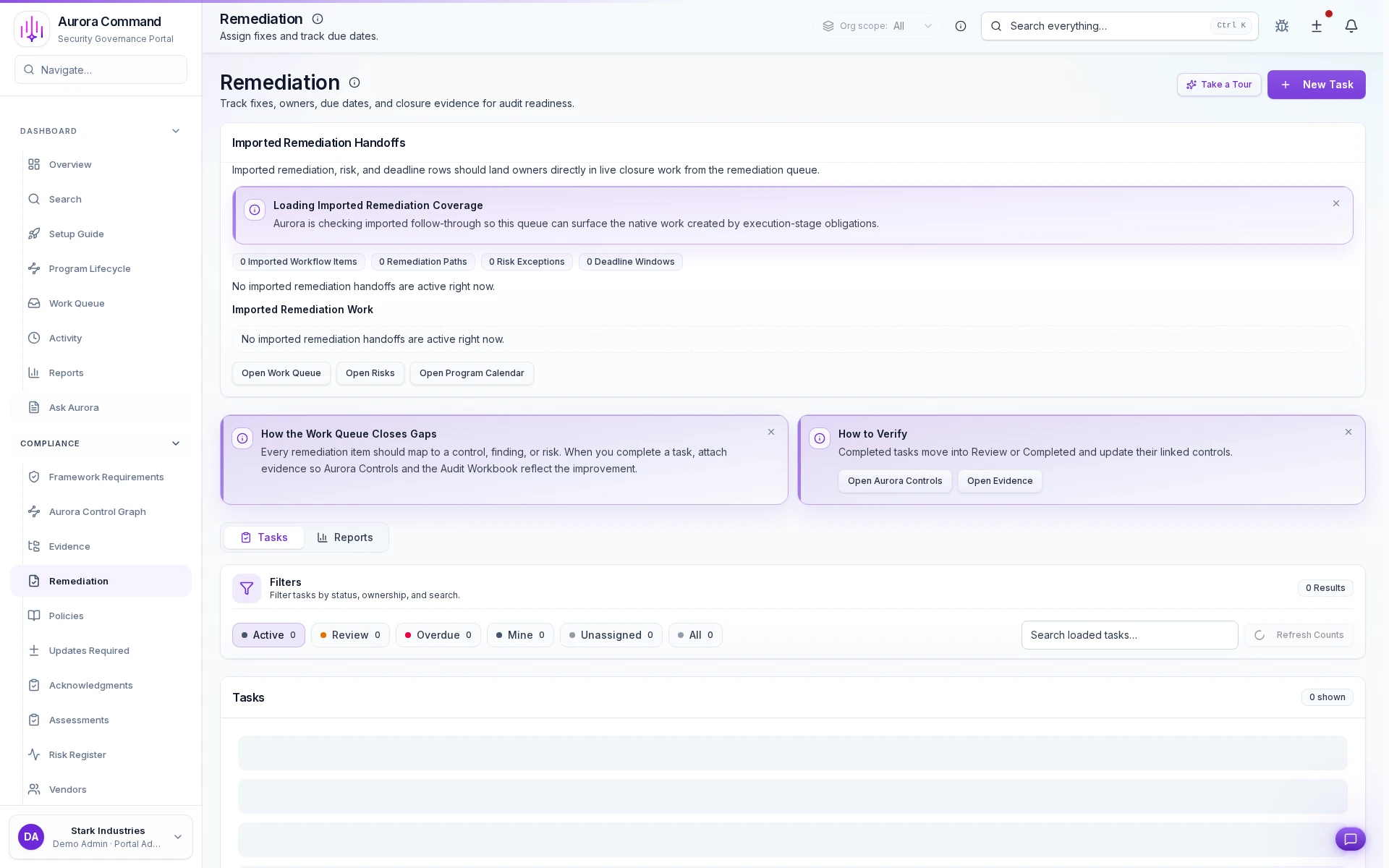
Close gaps with owners and due dates attached
Capture closure evidence in the workbook
Run remediation by status, owner, and search
How Teams Move Gaps To Closure
01
Open the gap with ownership
Turn findings into visible work with a named owner from the start.
02
Set dates and service levels
Keep urgency explicit so the team can separate material issues from background noise.
03
Attach closure evidence
Link proof of remediation to the same record instead of burying it in ticket comments.
04
Escalate blocked work
Surface stalled issues before they become audit surprises or buyer objections.
05
Export the closure trail
Show what was fixed, by whom, and when without making reviewers infer the timeline.
What This Adds To Remediation Work
Feature 1 of 5: Designed for
1/5
Designed for
SOC 2 • Security reviews • Operational readiness
Artifacts reviewers recognize, plus sample previews of structure.
Scroll for artifact previews
Connect The Systems That Turn Findings Into Action
Questions Teams Ask
How do policies, controls, and approvals stay tied together?
How do policies, controls, and approvals stay tied together?
Aurora keeps version history, ownership, approvals, and related evidence attached so the governance record is easier to defend later.
What does the team actually share from this work?
What does the team actually share from this work?
Teams usually share SLA breach event log; Escalation notification history; SLA performance report. The goal is to give reviewers the right package without making them reconstruct how the program operates.
Where does this help most in recurring audits?
Where does this help most in recurring audits?
It fits best when the team is handling SOC 2, Security reviews, Operational readiness and needs the work to stay reusable instead of being rebuilt each cycle.
What changes after rollout?
What changes after rollout?
Reduce missed remediation deadlines Make escalation and ownership visible
Share The Framework, Control Set, Or Policy Review You Keep Rebuilding.
We’ll show how Aurora keeps approvals, change history, and evidence connected so the next review starts from current work.
Share one request and we will show the path to sla breach event log without losing approvals, ownership, or reviewer context.