Feature
Playbooks: Execute response playbooks with provable steps so you can show exactly what was done.
Keep your incident response playbooks structured and accessible. Link them to tabletop exercises, training, and incident records to create a coherent readiness story.
Execute response playbooks with provable steps so you can show exactly what was done.
- Completion records hold up:Assignments, attestations, and timestamps stay easy to verify later.
- Exercises produce a record:Scenarios, injects, and after-action notes stay tied to the session.
- Progress is measurable:Track cohorts, overdue work, and readiness trends without manual rollups.
- Follow-ups stay owned:Gaps turn into named work with dates, history, and proof of closure.
Sample output
Playbook export
Answers with linked evidence
Run Drills That Produce Defensible Records
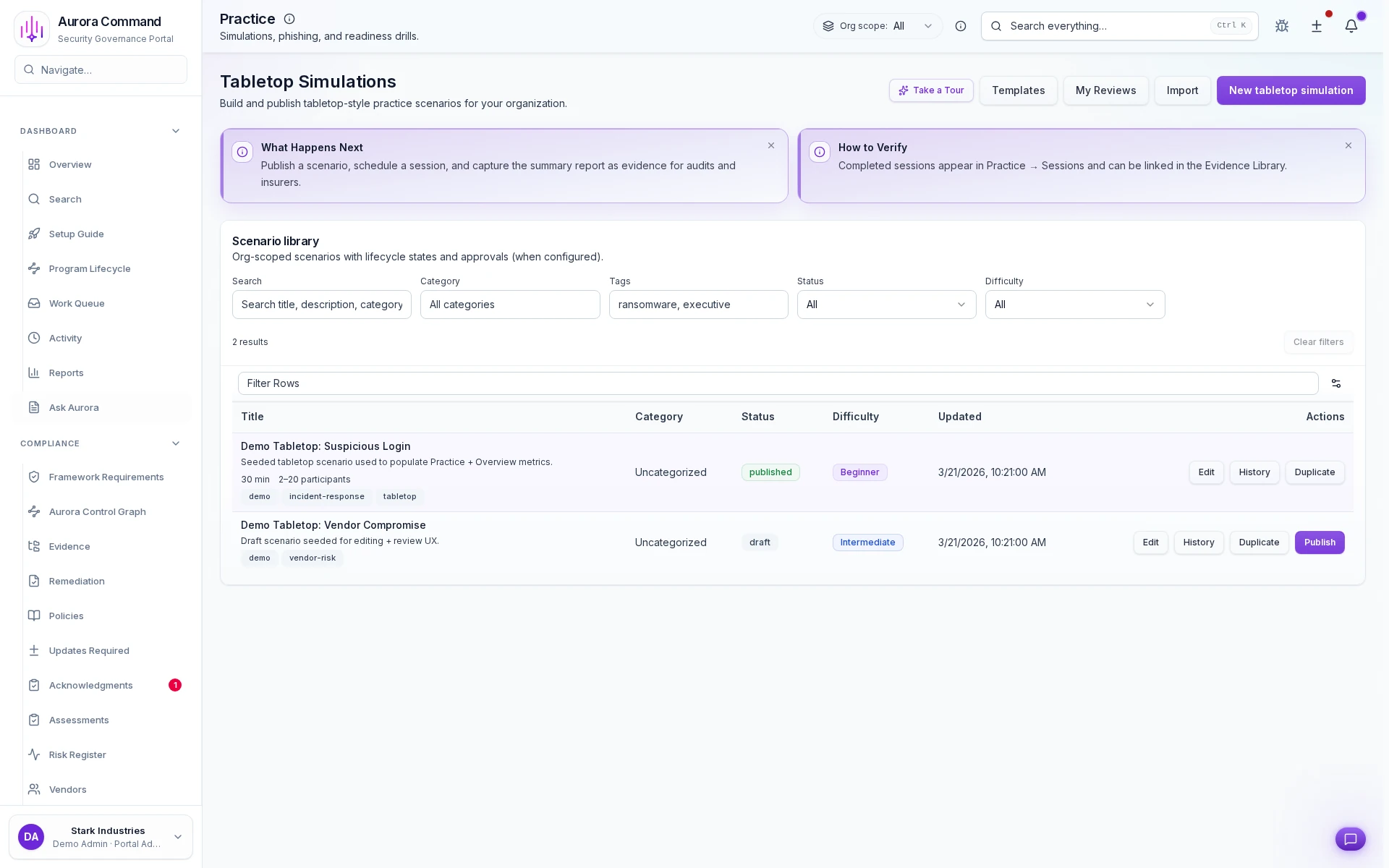
Run tabletops on a published cadence
Publish a scenario once and reuse it across teams
Capture the summary report as audit evidence
How Teams Run Simulations And Capture The Outcome
01
Plan the scenario and participants
Set the session scope, roles, and objectives before the exercise starts.
02
Run injects and capture decisions
Keep the timeline, participant actions, and decision points on the record as the exercise unfolds.
03
Record the timeline and evidence
Preserve what happened, when, and why it mattered in a way the team can revisit later.
04
Assign follow-up work
Turn identified gaps into owned tasks instead of leaving them in after-action notes.
05
Package the after-action record
Share a clear readiness record with buyers, insurers, or auditors when they ask for exercise proof.
What This Adds To Exercise Readiness
Feature 1 of 5: Designed for
1/5
Designed for
Incidents • SOC 2
Artifacts reviewers recognize, plus sample previews of structure.
Scroll for artifact previews
Connect The Tools Around Each Exercise
Questions Teams Ask
What record is left after a training cycle or exercise?
What record is left after a training cycle or exercise?
Teams usually share Playbook export; Linked exercises record. Aurora keeps completion, participation, and follow-up work attached to the same operating record.
Can we prove completion without screenshot chasing?
Can we prove completion without screenshot chasing?
Yes. Completion, attestations, and timelines stay structured in Aurora instead of being rebuilt from inboxes and folders.
How do follow-ups stay owned after the session?
How do follow-ups stay owned after the session?
Post-session gaps become tracked work with named owners, dates, and a visible proof trail back to the exercise or training run.
Where does this help most?
Where does this help most?
It fits best when the team is handling Incidents, SOC 2 and needs the work to stay reusable instead of being rebuilt each cycle.
Share The Training Or Exercise Record A Reviewer Will Ask For.
We’ll show how Aurora captures completion, participation, follow-ups, and the proof trail behind them.
Share one request and we will show the path to playbook export without losing approvals, ownership, or reviewer context.