Feature
Evidence Integrations: Connect once. Evidence stays current automatically.
Integrations keep your evidence library refreshed from the tools you already use: identity, cloud, endpoint security, ticketing, logging, and more. Some connectors support continuous checks in addition to evidence capture.
Connect once. Evidence stays current automatically.
- Freshness is visible:Timestamps, source history, and owner context stay attached to every record.
- Connectors keep pace:Automated capture reduces screenshot chasing and spreadsheet rebuilds.
- Exports stay review-ready:Package evidence into reviewer-safe bundles without losing traceability.
- Reuse across frameworks:Map the same evidence into overlapping control sets instead of recollecting it.
Sample output
Integration evidence objects
Timestamped artifacts
Catch Stale Evidence Before Reviewers Do
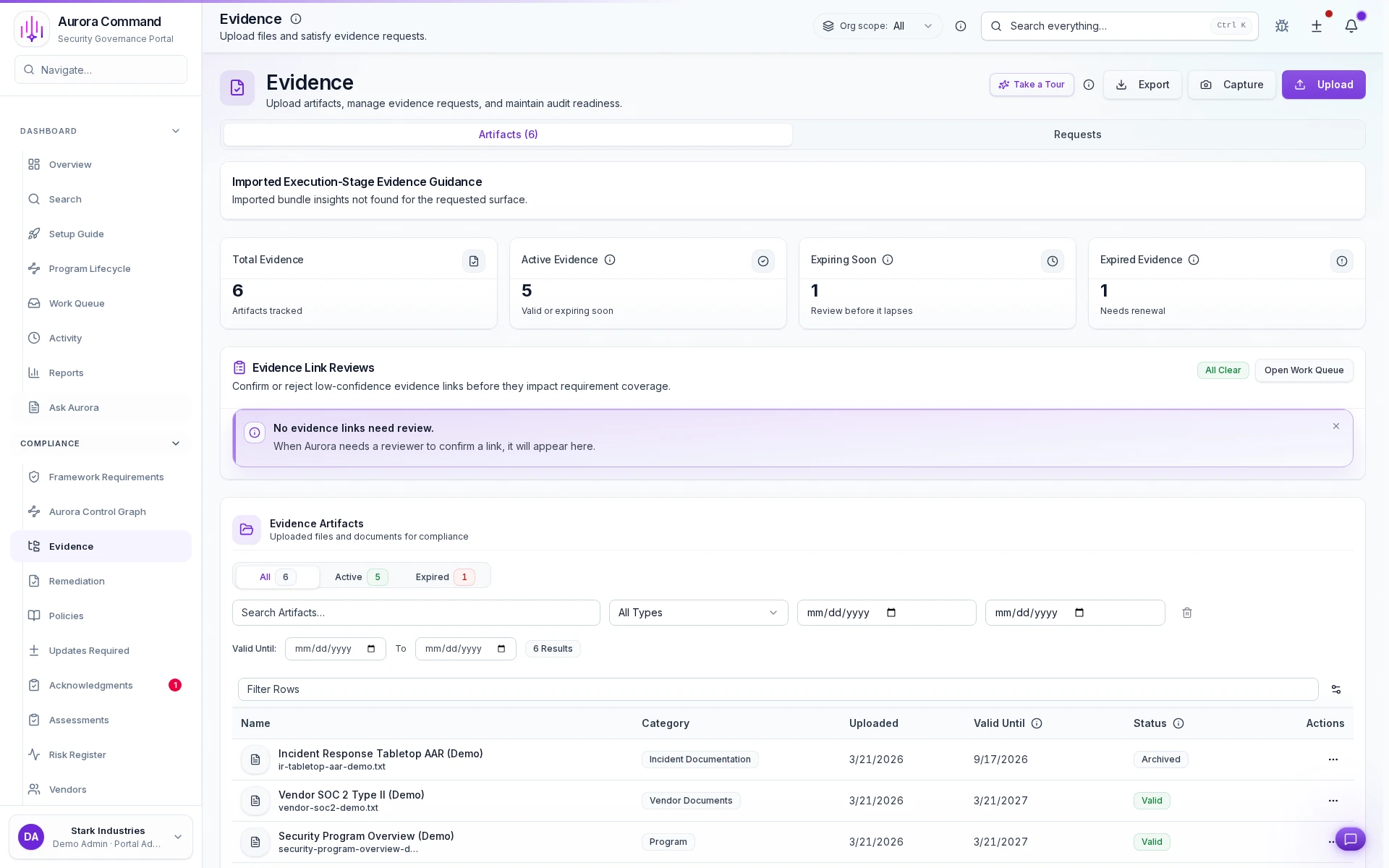
Spot stale proof before a reviewer asks
Keep one record per artifact, owners attached
Catch low-confidence links before they break a review
Pull the next renewal without searching
How Teams Keep Evidence Current And Easy To Share
01
Connect or upload the source record
Start with the systems and files you already have instead of waiting for a perfect rollout.
02
Track freshness and ownership
Keep timestamps, source context, and accountable owners attached to each evidence record.
03
Reuse evidence across controls
Map the same proof across overlapping frameworks instead of recollecting it every cycle.
04
Flag stale or missing proof
Catch drift before a reviewer or buyer turns it into a delay.
05
Share reviewer-safe exports
Package the evidence set with enough context to make the record believable on first pass.
What This Adds To The Operating Record
Feature 1 of 5: Designed for
1/5
Designed for
SOC 2 • CMMC
Artifacts reviewers recognize, plus sample previews of structure.
Scroll for artifact previews
Connect The Systems That Make Evidence Credible
Questions Teams Ask
How does Aurora prove the evidence is current?
How does Aurora prove the evidence is current?
Every record keeps source, timestamps, ownership, and review history visible so stale proof is easier to catch before a buyer or auditor does.
Can the same evidence support multiple frameworks?
Can the same evidence support multiple frameworks?
Yes. Aurora is built so one evidence record can support overlapping control mappings instead of being recollected for each framework.
What can we share without exposing internal systems?
What can we share without exposing internal systems?
Teams usually share Integration evidence objects; Check results; Sync logs. The exported package keeps the proof trail intact without opening direct access to the underlying systems.
What changes after rollout?
What changes after rollout?
Automate evidence collection Reduce manual exports and screenshots
Share The Evidence Request That Keeps Slowing The Team Down.
We’ll show how Aurora keeps source history, freshness, and reviewer-safe exports tied to the same record.
Share one request and we will show the path to integration evidence objects without losing approvals, ownership, or reviewer context.