Request a Walkthrough
See Aurora Command in Your Workflow
or send details asynchronously
Three Steps. No Surprises.
01
Book a time
Pick a 15-minute slot or send details by email. We confirm after we've reviewed your request.
02
Share context
Tell us the audit, questionnaire, framework, or renewal you are working through. We prepare the right walkthrough.
03
See your workflow
We show how Aurora maps to your specific review: controls, evidence, approvals, and the governed handoff.
What to bring (optional)
A questionnaire or review packet
The audit, security review, renewal, or diligence workflow you are working through.
Your target framework
SOC 2, ISO 27001, CMMC, HIPAA, or whichever standard applies.
Current policies or evidence
Whatever you have today. We'll work with what exists.
What We Cover in 15 Minutes
Governance and controls
01Policies, approvals, and decision trails.
Framework mapping
02Map once, reuse across frameworks and reviews.
Evidence freshness
03Owners, cadence, reminders, and integrations.
Risk and remediation
04Risk register, ownership, exceptions, and tasks.
Incident and audit readiness
05Training records, tabletops, and incident runbooks.
Controlled sharing
06Trust Center, access tiers, logs, and on-demand exports.
Pick a Time for the Right Walkthrough
Share a questionnaire, framework, audit, or renewal. We show the workflow behind it in 15 minutes. No obligation.
Controlled Sharing, Not Shared Logins
No shared logins
Reviewers access a controlled view. They never see your workspace.
Audit trail on everything
Approvals, evidence changes, and reviewer access events are all logged.
Role-based access
Operators see their scope. Reviewers see what you share.
Aurora does
- Centralize your control library and evidence
- Track evidence freshness and ownership
- Give reviewers structured access
- Log every approval, change, and access event
Aurora does not
- Guarantee compliance outcomes
- Replace your judgment or expertise
- Require vendor access to your systems
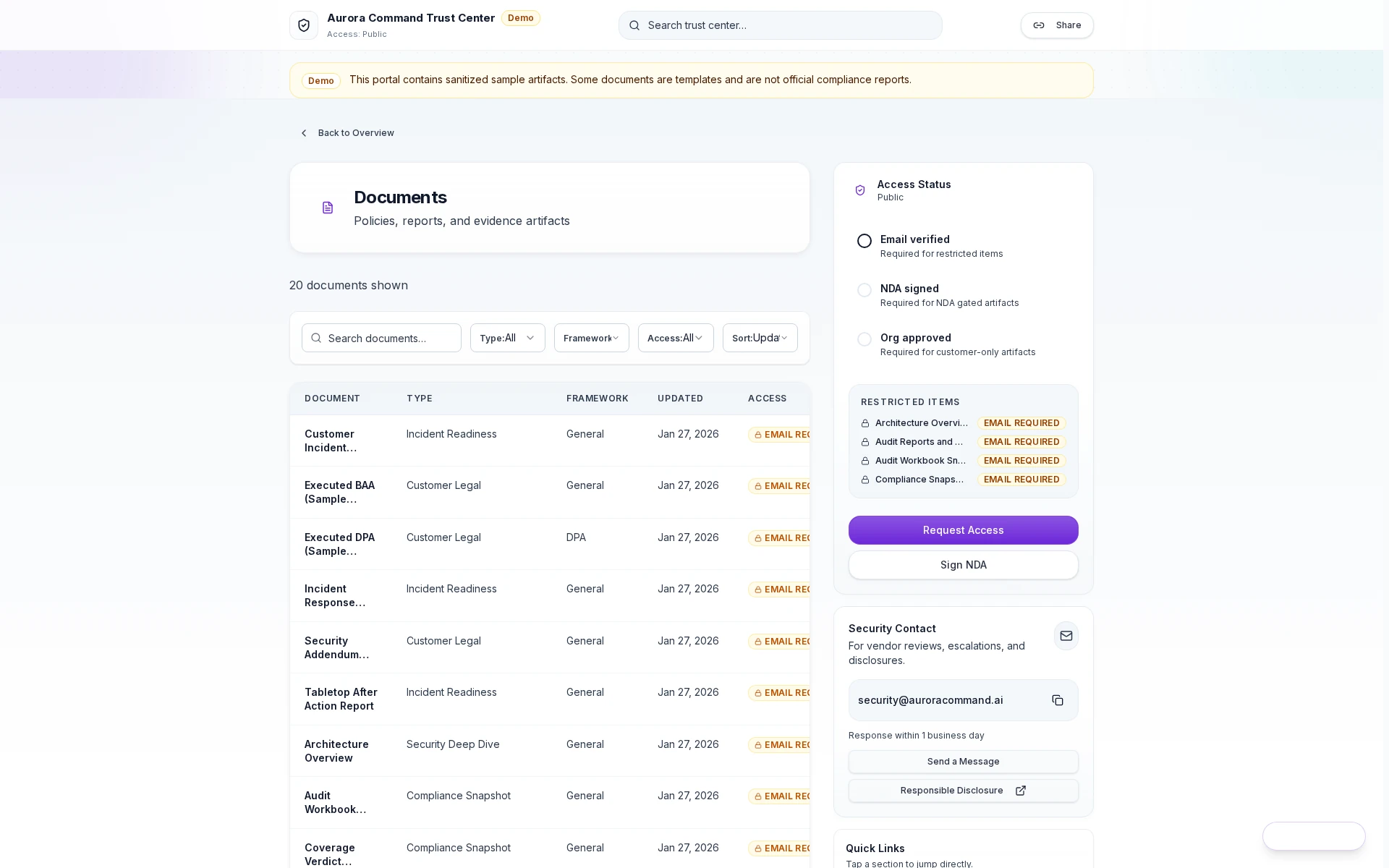
Trust Center: Access Log
Feature 1 of 4: Access granted
1/4
Access granted
Reviewers open the shared proof surface with a scoped link and tiered permissions.
Share evidence confidently. Every access is logged and revocable.
What Teams Ask Before Booking
What happens after I book?
What happens after I book?
You receive a calendar invite with a video link. We prepare based on the context you share. The walkthrough is 15 minutes unless you want more time.
What should I bring?
What should I bring?
Share what you have: a recent questionnaire, target framework, or current policies and evidence. Nothing prepared? We start with your situation.
What's the format?
What's the format?
We show how the workflow fits your specific review. If it works, we recommend a plan. If not, we say so.
Can I invite my team?
Can I invite my team?
Yes. Forward the calendar invite to anyone who should see the walkthrough. Common attendees include security leads, compliance managers, and operations directors.
What if none of the times work?
What if none of the times work?
Use the "Send Request" form instead. Include your preferred times and we reply with options once your request is reviewed.
How long until we're up and running?
How long until we're up and running?
Timelines depend on the workflow you need first and the systems you want connected. Most teams start with the review in front of them, then layer frameworks, integrations, and automation in phases.
See the Product While You Wait
Demo Hub
Browse walkthroughs across governance, evidence, trust sharing, readiness, and technical proof workflows.
Trust & Sharing Demos
Controlled reviewer handoff, access approvals, and portal flows external reviewers can understand fast.
Core Platform Demos
Governance, evidence, assessments, and Aurora Copilot proof surfaces in one guided collection.
Browse Frameworks
Supported frameworks and control mappings.
Pick a Time to See Your Workflow Live
Share a questionnaire, target framework, audit, or renewal. We scope the workflow in 15 minutes.
No commitment required. We respond once we've reviewed your request.